Which Pokémon should I invest in?
The Christmas event gave me a reason to get my collection into a useful format. I wanted to analyze the Pokémon I already had and decide which ones to invest in: where to put my EXP, candy, and Dream Shards, and which helpers were worth building a team around.
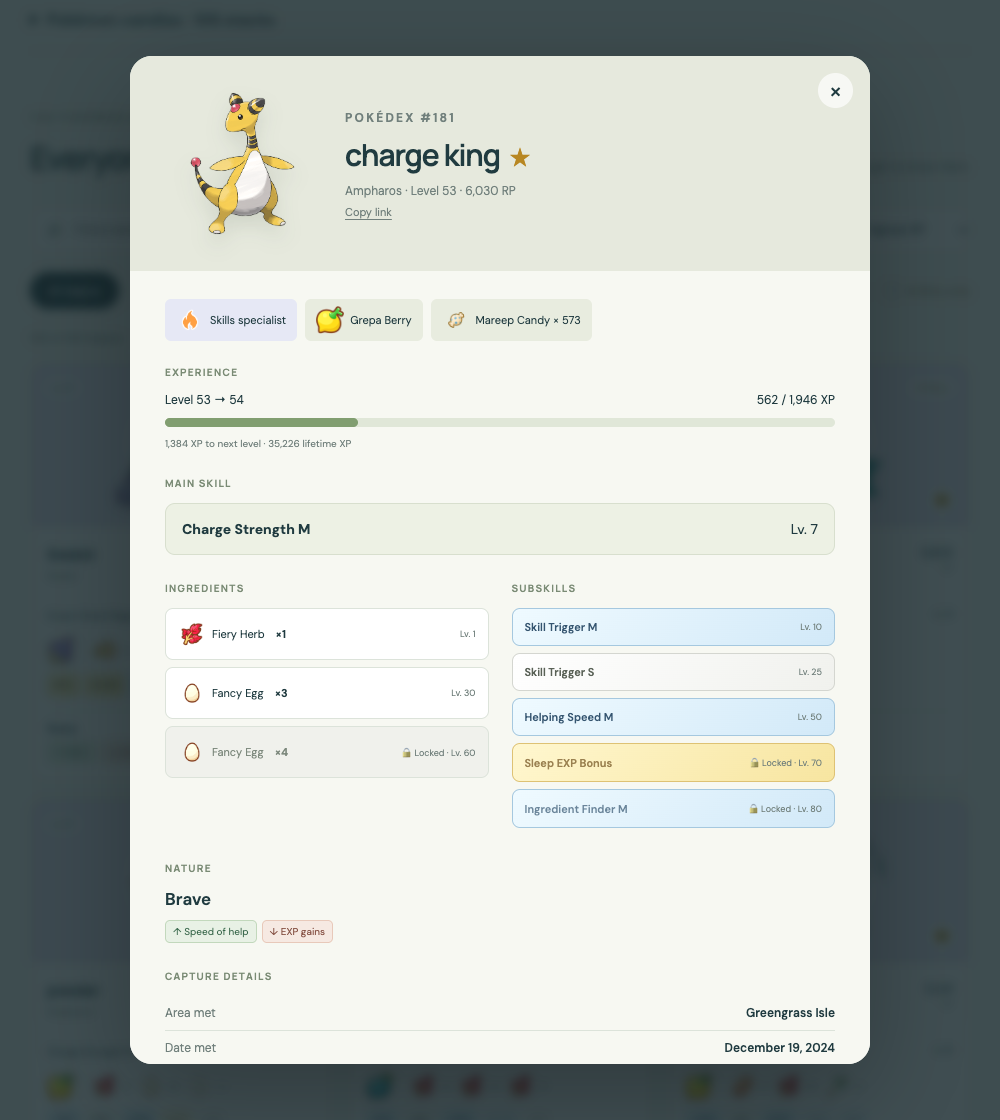
The game makes that surprisingly difficult to catalog. The ingredients, subskills, levels, and other details are spread across individual Pokémon screens. I wanted to compare my whole box without repeatedly opening each helper and trying to remember what I’d just seen.
So the first step was a personal database: the Pokémon I own, their ingredients, subskills, XP, and the details that make each helper different. Getting that information together gives me something I can search and use for analysis as I plan for the event.
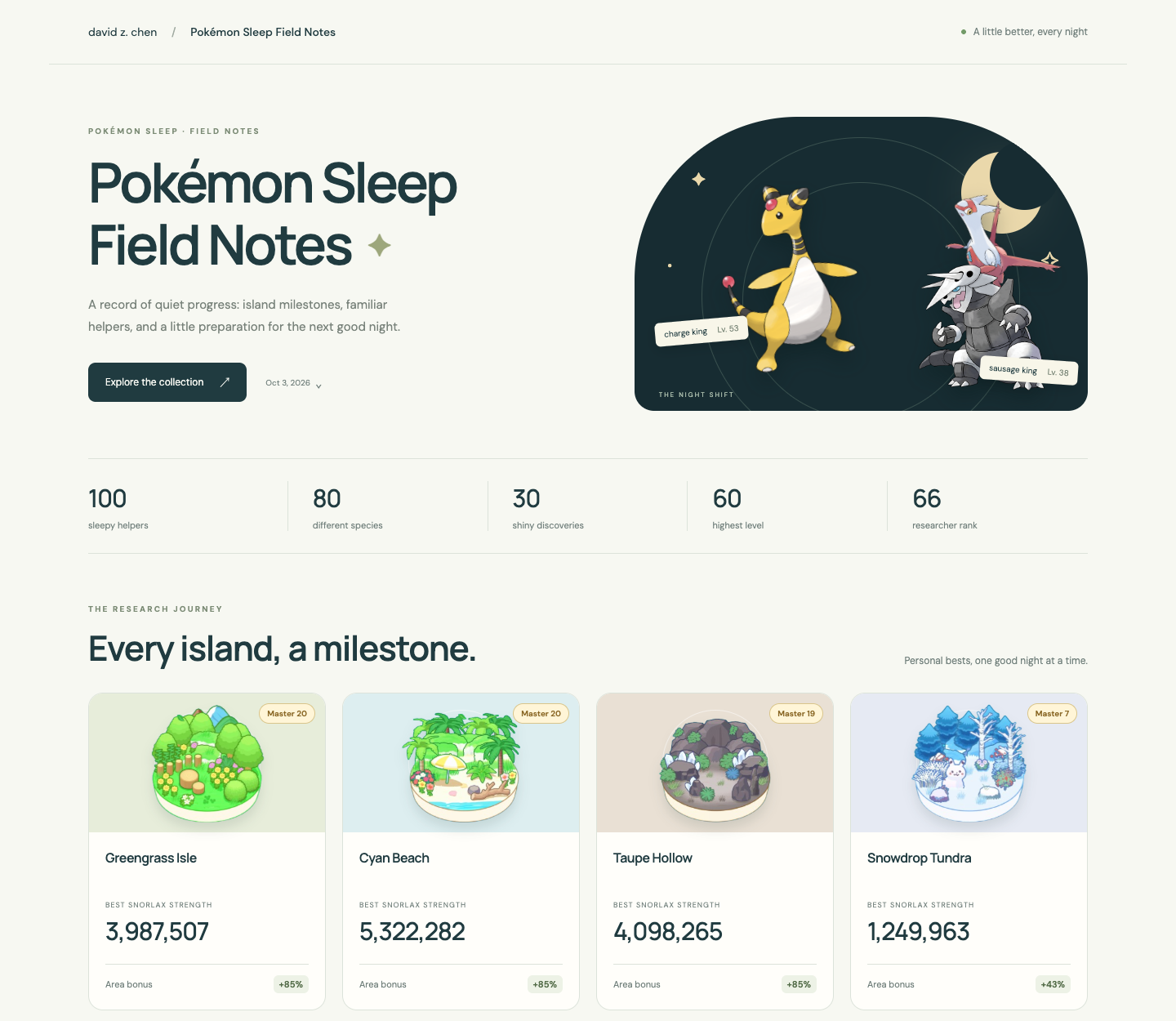
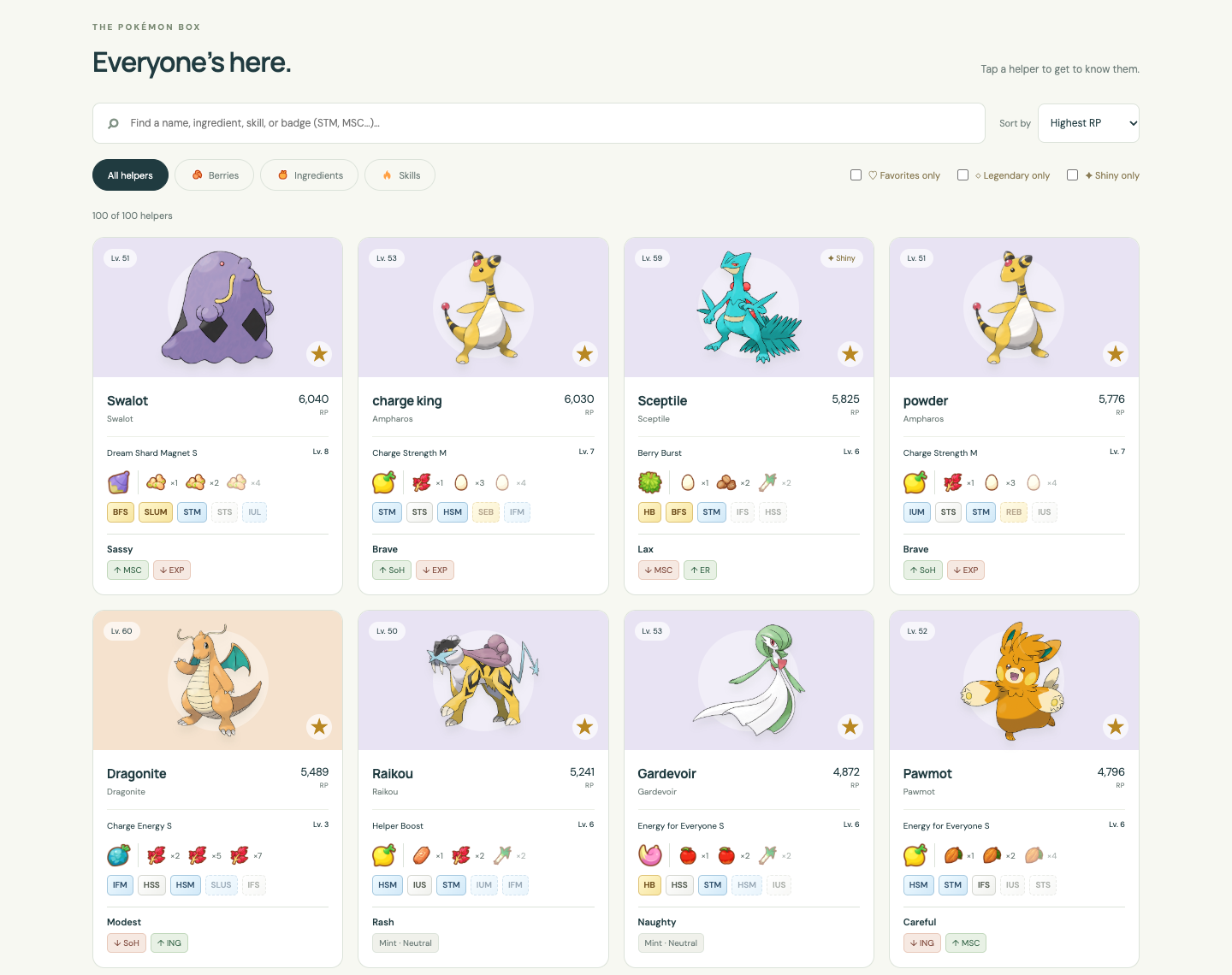
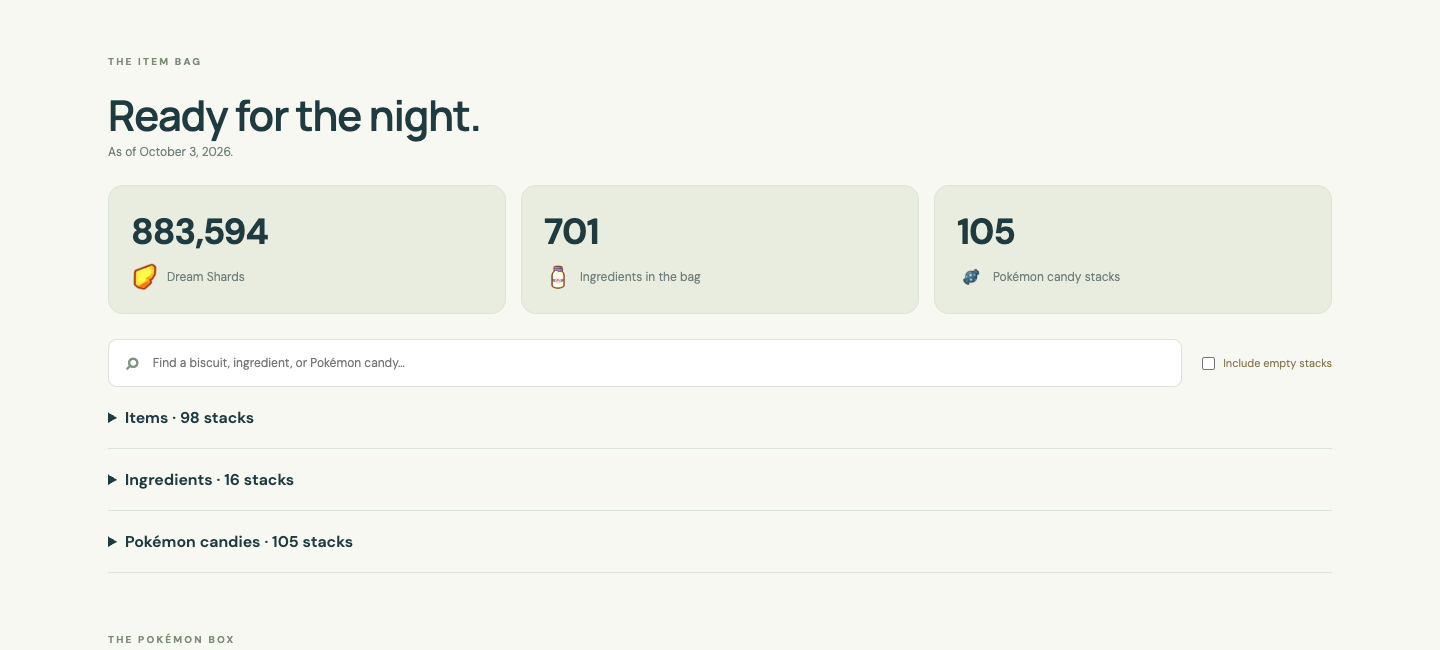
The result is my Pokémon Sleep Field Notes. You can browse helpers, search by a name, ingredient, or skill, filter by specialty, and open a Pokémon’s details. Island achievements, researcher rank, and supplies live alongside the roster. Saved snapshots let you revisit earlier captures, and an individual helper’s link stays attached to the snapshot it came from.
I call it Field Notes because I want more than a catalog of my box. It’s a personal research journal built from saved account snapshots: island milestones, researcher rank, supplies, and the helpers I’m building over time.
A record of progress over time
I also wanted to see how my collection changes. How much sleep EXP did my helpers gain this week? How many Dream Shards did I earn? How far have I moved toward the Pokémon I want to build?
A single export shows where I am today. Taking snapshots over time gives me a record I can come back to, so I don’t have to rely on memory or a folder full of screenshots. The aim is to make the slow accumulation of progress visible, and use it to make better investment decisions.
The saved snapshots are a starting point: they preserve each Pokémon’s XP totals alongside the roster, supplies, Dream Shard balance, researcher rank, and island records. I can revisit a saved collection, but automated progress comparisons and event-investment recommendations are still future work.
For the analysis I want, I’ll need to distinguish sleep EXP from other EXP sources, and Dream Shards earned from changes in the balance after spending. The current snapshots don’t yet calculate those breakdowns.
Getting the data was the hard part
My first approach was straightforward: use computer control and iPhone Mirroring to open the box and read the screens. That ran into a stubborn problem. Taps worked, but automated scrolling didn’t reliably move the details. We had a partial inventory, and guessing the hidden fields wasn’t useful.
We changed approaches. With a temporary local proxy, we captured my phone’s normal game traffic. Getting through HTTPS was only the first layer: the response bodies had their own encryption. We inspected the matching Android client’s Unity metadata and native library to understand the format, then decoded the captured responses offline.
Another wrinkle: ordinary gameplay responses contained updates to a few Pokémon, not the whole box. We traced the client’s dedicated full-user-data request and verified a complete response containing 100 Pokémon. Account access and captures stayed in a private local workspace; the website received a separate, sanitized export.
Numbers need interpretation
A decoded response still isn’t a useful collection. Its species IDs are game-specific IDs, not National Pokédex numbers. Ingredients, natures, and subskills also need reference tables and English labels.
We built an offline mapper and checked examples against the game. XP progress comes from the Pokémon’s species-specific level curve. Displayed main-skill levels account for the stored level, unlocked Skill Level Up bonuses, and the skill’s cap. Even a skill’s English label number can differ from its internal ID.
Special cases mattered too. A Neutralizing Mint preserves the original nature while removing its effects. Mew’s selected skill needs additional interpretation, and the empty Mythical slots need an “Eureka Seed needed” label. Unknown values stay unavailable rather than being filled with plausible guesses. Some species defaults still carry a community-reference provenance.
A small website, with a private boundary
The public site is static HTML, CSS, JavaScript, and JSON. Search and helper details run in the browser. There’s no account login on the website and no game session stored in it.
The importer maps the private response, exports only selected collection and supply fields, validates a paired snapshot, and archives it before publication. A failed or partial import keeps the previous collection. Raw account IDs, session material, and private responses don’t belong in that output.
The collection itself is public—including nicknames, stats, and the game island and date met. Removing a download button doesn’t make browser-loaded data private. That boundary is worth deciding before sharing your own site.
Make your own with Claude or Codex
I’ve packaged the reusable parts in Pokémon Sleep Field Notes on GitHub. It includes the collection browser, mapper, sanitized exports, saved snapshots, tests, and instructions for an agent. The included demo is fictional; it doesn’t copy my account.
Start with the fictional demo in your own repository. Then use Claude or Codex to personalize it and import your data.
Here’s a starting prompt you can copy:
Read https://github.com/davidzlchen/pokemon-sleep-field-notes and follow its AGENTS.md. Create my own Pokémon Sleep Field Notes site using this template. Show me the local demo first, then help me import my own data. Keep all captures, credentials, and raw account responses private. Ask for my public display name and timezone. Verify the collection before helping me publish it.
The agent can get the demo running immediately and guide the rest. You still need to provide your own data. Importing an existing decoded full snapshot is the straightforward path; obtaining one through a phone capture takes hands-on setup and explicit permission.
The optional capture tools support one exact v3.8.2 client revision. They are experimental, and a different device, client update, or expired session needs its own verification. This is not an official export integration, and a single prompt cannot grant access to your account.
My Field Notes refresh uses a separate private local runtime. The template doesn’t include that login-refresh setup or install scheduled game requests. It gives you a repeatable starting point for the website and import pipeline, with the remaining acquisition steps spelled out.
What I’d carry into the next project
Working with Codex made it practical to move between screen automation, protocol research, data mapping, tests, and a website. The useful loop was to try a path, examine what it actually produced, and change direction when the evidence didn’t support the result we wanted.
The hardest part wasn’t the page design. It was knowing whether we had the whole box, whether each field meant what we thought it meant, and which data was appropriate to publish. Those checks are now part of the template, so the next person has less to reconstruct.